Fast
A full card is checked in seconds. Two 4 TB drives are indexed in about ten.

SD CardCheck reads how your camera organized the card, finds every photo and clip on your backup drives — even renamed or re-sorted — and proves each copy byte by byte.
Version 0.0.15 · 5 MB · macOS 14 Sonoma or later · Reads your card, never writes to it · No account, no cloud
How it works
SD CardCheck notices it and remembers your backup drives, so the next card is one click away.
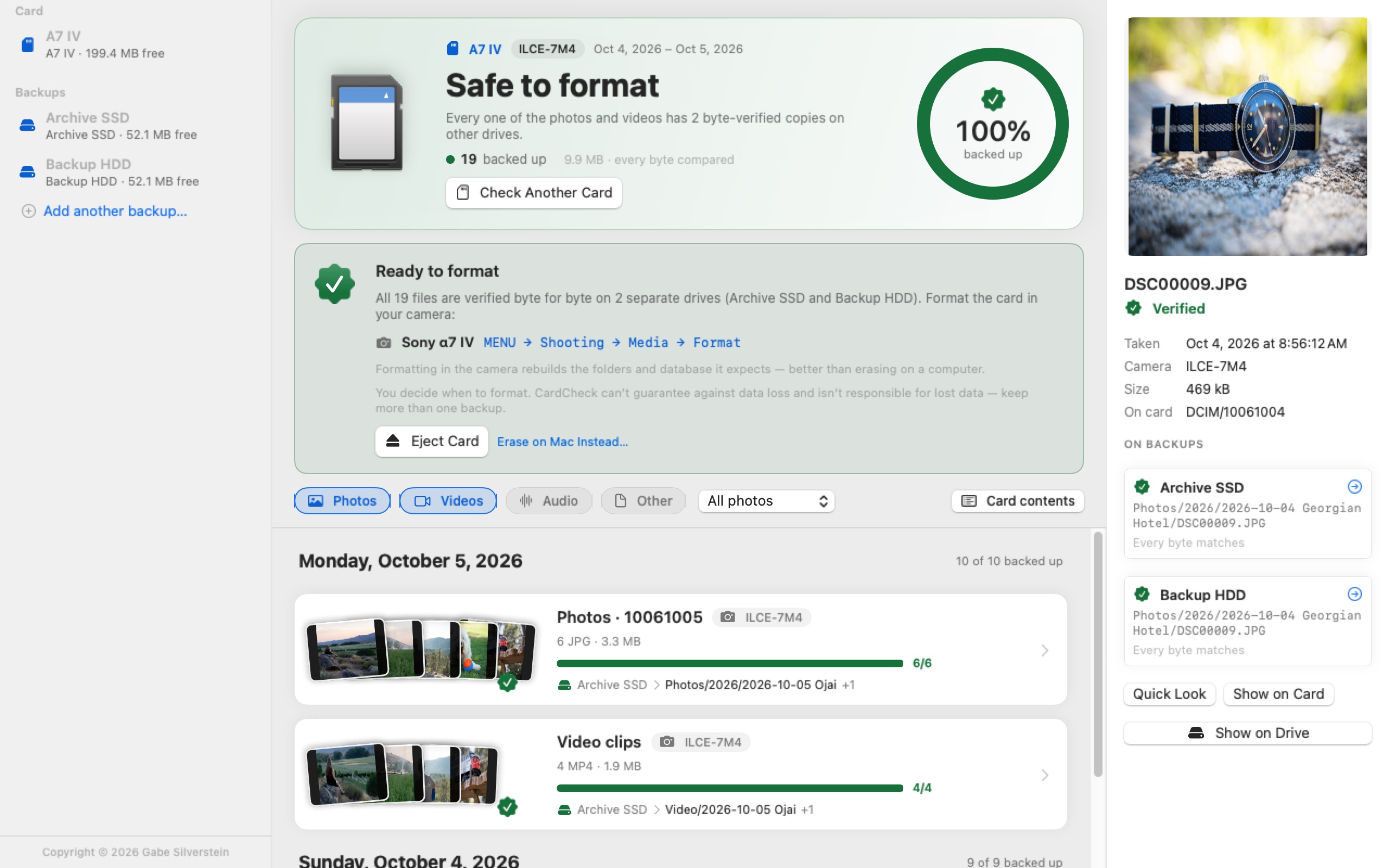
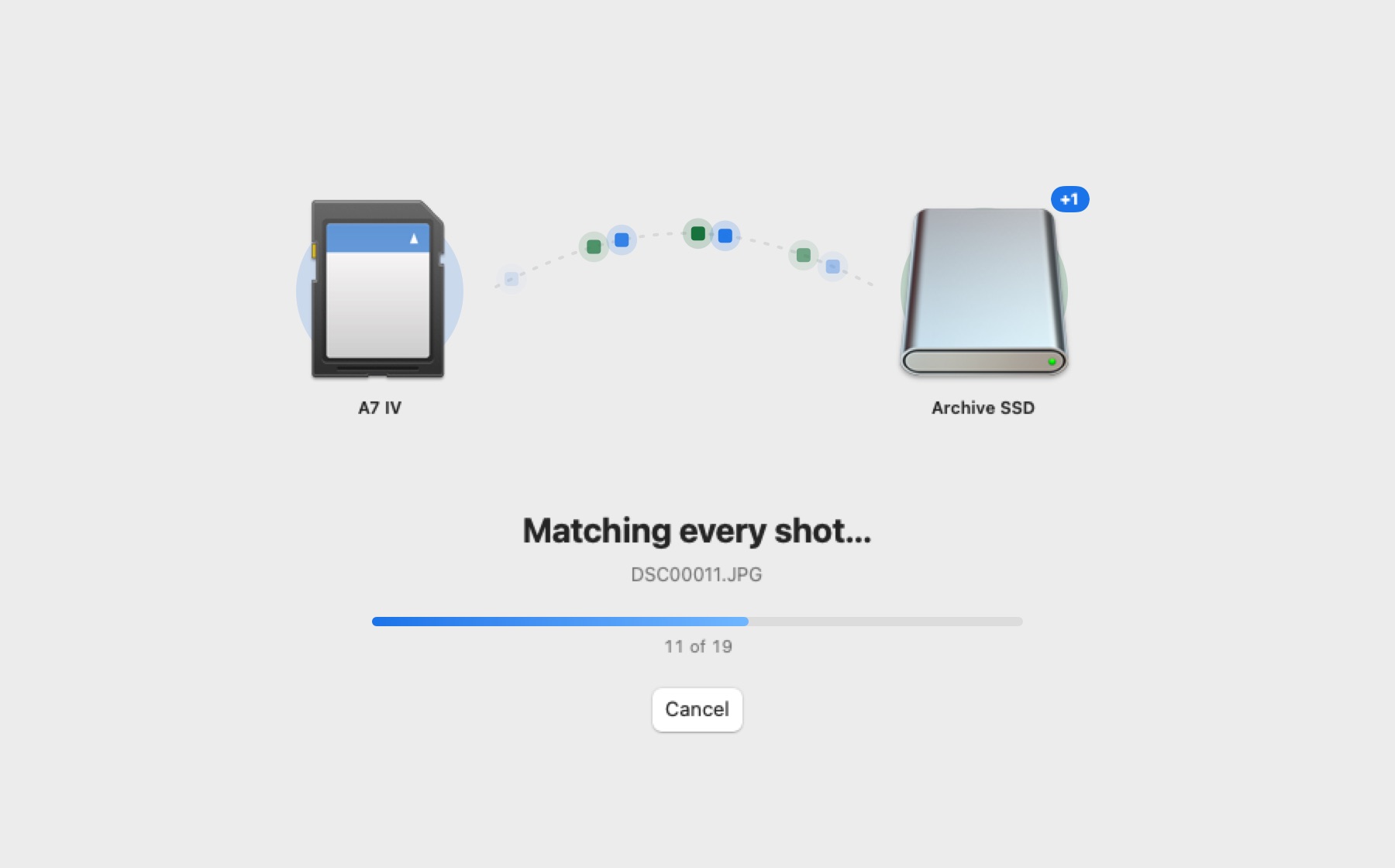
In seconds you see what’s backed up and what’s missing. Then it keeps going and reads every byte, automatically.
When every file is verified on two separate drives, SD CardCheck says Safe to format — and shows you how in your camera.
Camera-aware
Cards aren’t just folders of files. Sony writes clips to PRIVATE/M4ROOT and names photo folders by date, cameras add thumbnails, proxies and databases, and macOS sprinkles hidden ._ files everywhere.
SD CardCheck understands all of it. It checks the shots that matter — RAW, JPEG, HEIF and video — and tells you plainly what it skipped and why.
What’s on A7 IV
ARW476MP463XML63OptionalJPG63Not neededBIN, BDM9Not needed._*12IgnoredShoot RAW + JPEG but only keep the RAWs? Choose RAW only — a JPEG without a RAW twin is still checked.
Proof, not guesses
Most tools compare file names and sizes. On real backup drives, that’s not enough: two different photos can share both. SD CardCheck compares the actual content of every file — so a different photo under the same name is caught, and a renamed or re-sorted copy is still found.
Why SD CardCheck
Offload apps verify the copies they make. Photo importers keep track of what they’ve imported. SD CardCheck answers the question that’s left: is everything on this card already on my backups — no matter which app copied it, or where it ended up?
| Feature | Offload apps | Photo importers | SD CardCheck |
|---|---|---|---|
| Checks a card you’ve already copied — with any app, by hand or in Finder | Only its own transfers | Only its own imports | |
| Finds your shots after another app renamed or re-sorted them | Only its own renames | Only in its catalog | |
| Proves each copy byte for byte | While copying, and from its own hash lists | Varies | |
| Checks every backup drive you have, all at once | The drives it copied to | — | |
| Shows where every shoot ended up on each drive | In its own logs | In its catalog |
Keep using the offload app or importer you love — SD CardCheck independently checks the result before you format.
By shoot and date
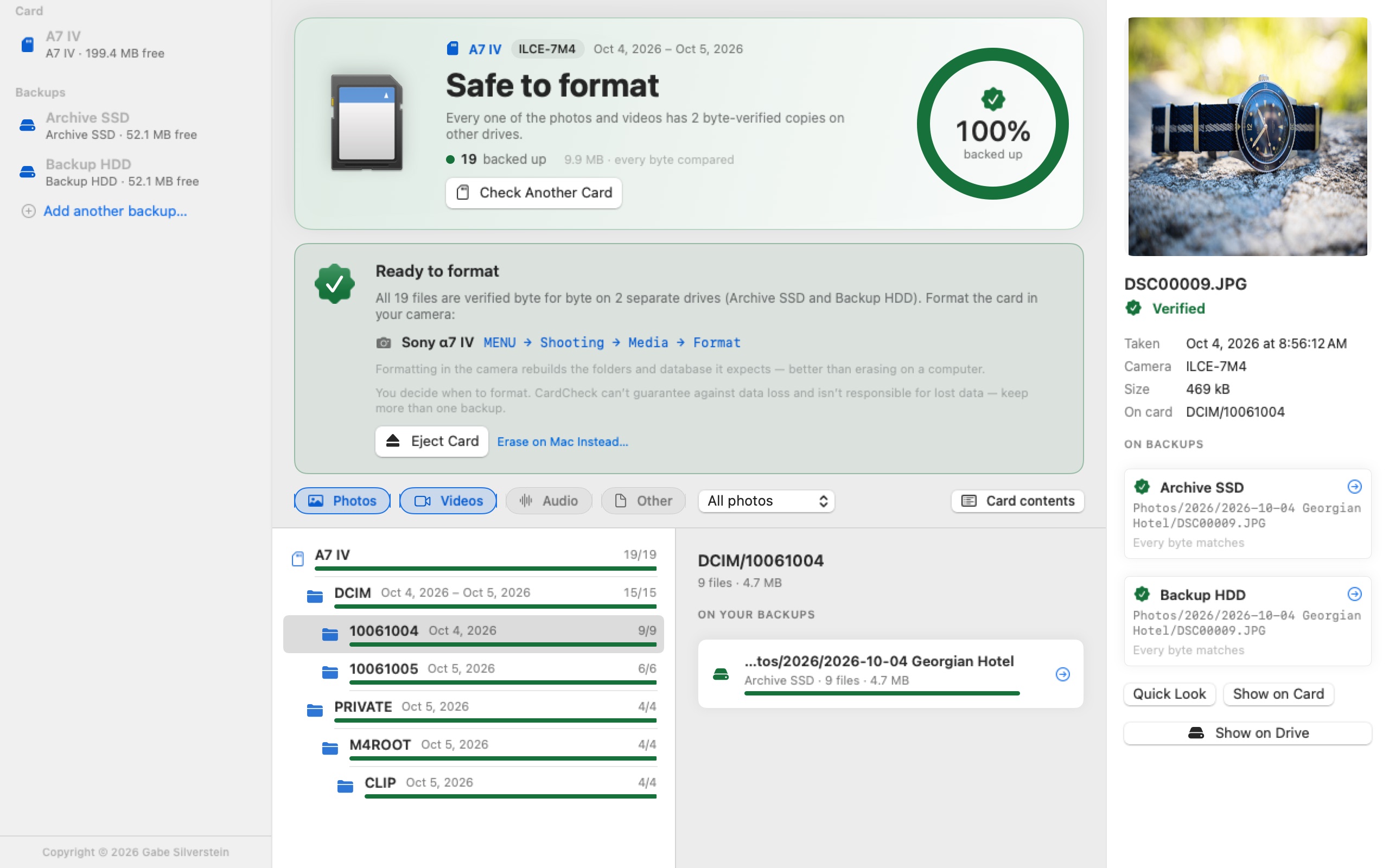
Every card is grouped into shoots — one camera, one folder, one day — and each shoot shows exactly where it landed on your backup: your Lightroom import, your Final Cut footage folder, your dated archive. However you work.
Copy what’s missing
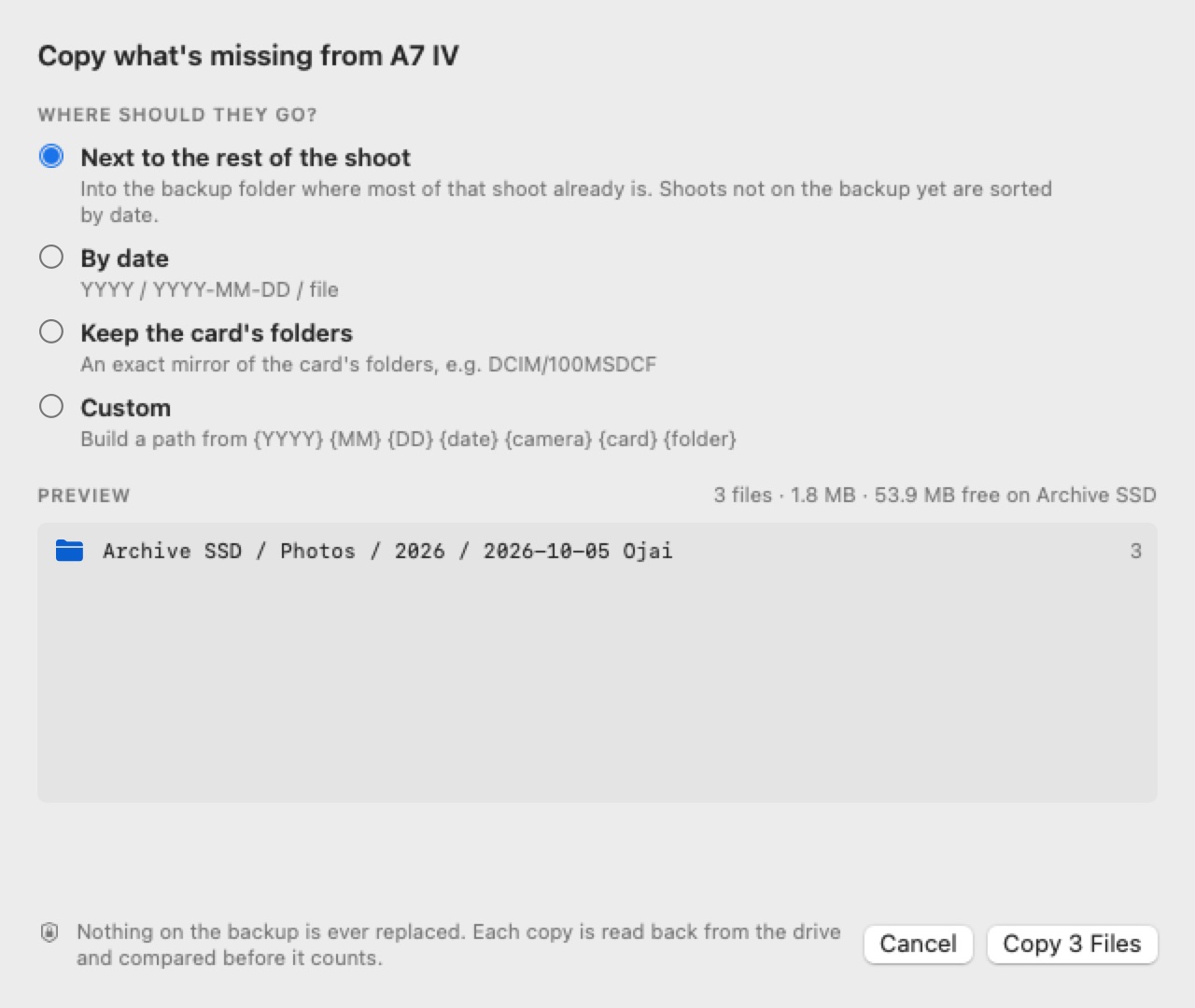
SD CardCheck copies only what’s missing — next to the rest of that shoot, into a new folder beside it, into dated folders, or as an exact mirror of the card. You see every destination before anything is written.
Safe to format
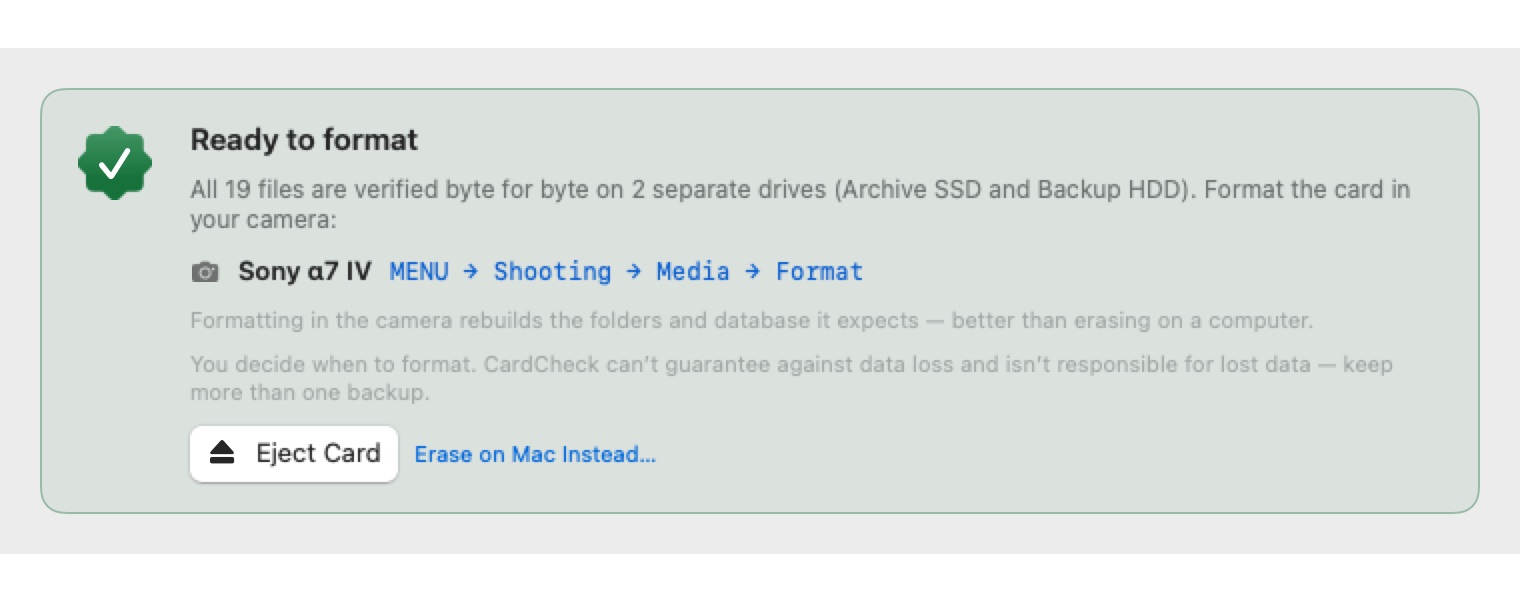
SD CardCheck only says Safe to format when every file is verified byte for byte on two separate drives — and nothing on the card was left out of the check. Then it tells you exactly how to format in the camera you shot with — and ejects the card for you.
And the little things
A full card is checked in seconds. Two 4 TB drives are indexed in about ten.
Reopen any card you’ve checked — no rescan. Even after it’s ejected.
Jump from any photo to its backup copy in Finder. Quick Look RAW and video.
Insert a card and SD CardCheck offers to check it against the same backups.
Done? Eject right from the result. The card stays in your recent list.
Check any combination — or only RAWs, or only JPEGs.
Export a spreadsheet of every file, its status and where its copies live.
See every shoot on a card — days, cameras, sizes — before you back it up.
Check the same card against another drive, or add one, without picking the card again.
Checked only photos? It says “100% of photos” and reminds you about the videos.
Pick where copies go in Finder. Open, show or add them to Lightroom after.
A native Mac app, with light and dark mode and keyboard shortcuts.
Safe by design
Why I made SD CardCheck
As a working photographer and videographer, the part of the job I dreaded most was formatting cards. After a shoot I’d get back to the office, offload everything — and then it was time to format.
I’d highlight the photos and clips to make sure everything copied, but that took time, especially after an adventure shoot, a card that spanned several days, or one that had been through more than one camera. Formatting turned into hours of cross-checking, sometimes a whole day.
I wanted a tool to clear that block in my workflow, so I built my dream app: SD CardCheck. Insert a card, press one button, and know every file is backed up, byte for byte, on every drive.
Now formatting a card is stress-free.
FAQ
No. Checking only reads. The one thing SD CardCheck can write is copies of missing files — onto your backup drive, into a folder you approve, and never over an existing file.
Yes. SD CardCheck finds your files wherever they ended up — a Lightroom or Capture One import, a Photo Mechanic ingest with new names, Final Cut or Premiere footage folders, dated archives — on any drive, including network drives. It doesn’t need the card’s folder structure copied.
Every photo and clip you chose to check has a byte-for-byte verified copy on at least two separate physical drives (you can change the number in Settings). Two folders on the same drive count once.
Cameras set up their own folders and database files when they format a card. A card erased on a computer can show errors or slower writes. SD CardCheck shows the exact menu path for the camera it found on your card.
Any card with a standard DCIM folder, plus camera-specific layouts from Sony (including XAVC clips and date-named folders), Canon, Nikon, Fujifilm, Panasonic, OM System, GoPro, DJI, Insta360, RED and Blackmagic. RAW, JPEG, HEIF, MP4, MOV, MXF, BRAW, WAV and more.
On a real 18 GB Sony card checked against two 4 TB drives, the first answer arrives in under ten seconds. Reading every byte of the card and its copies took a little over two minutes.
No software can. SD CardCheck is a tool to help you check your own backups; the decision to format, erase or reuse a card is always yours. Keep more than one backup, and see the disclaimer: Gabe Silverstein isn’t responsible for any lost data.
No. SD CardCheck works entirely on your Mac. There’s no account and nothing is uploaded.